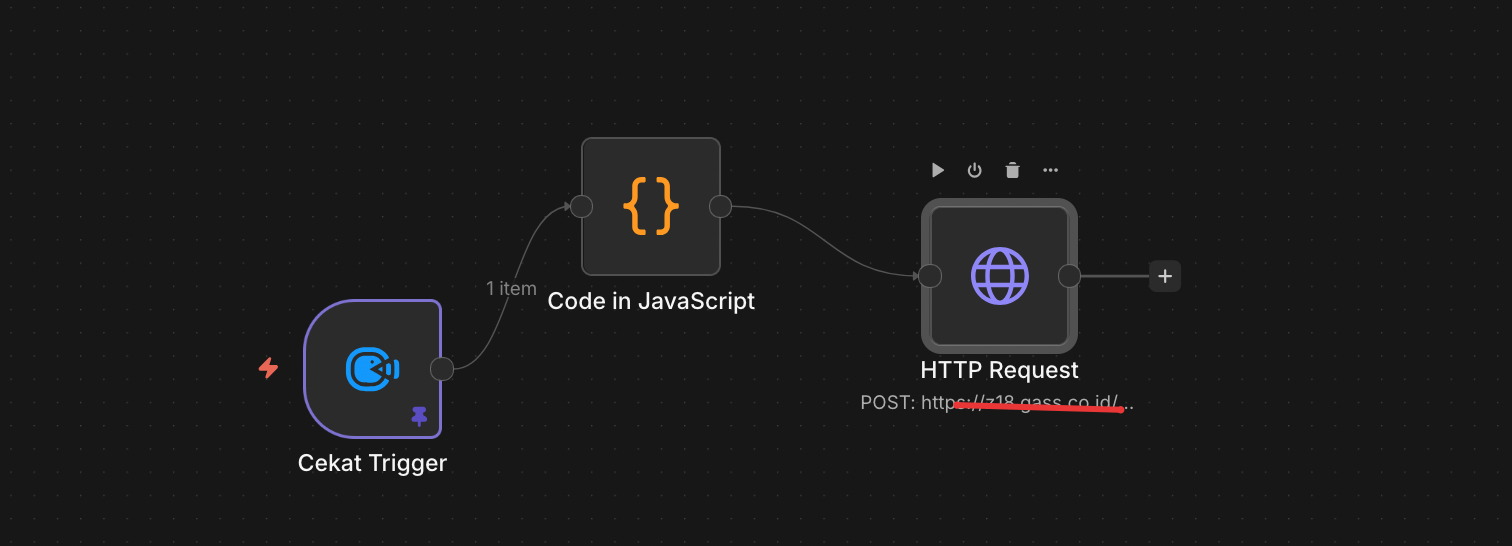
Input No Customer Service Provider Custom Untuk Cekat AI
Tutorial Setup Automation ( Workflow ) pada Provider Cekat AI untuk integrasi ke Sistem CS pada panal GASS. "ini merupakan cara alternatif jika webhook sering inactive"
- Pada Panel Gass, Klik Menu Customers Service,
- Klik Tombol ADD
- Pilih Provider Cekat, masukan nomor, pilih devisi
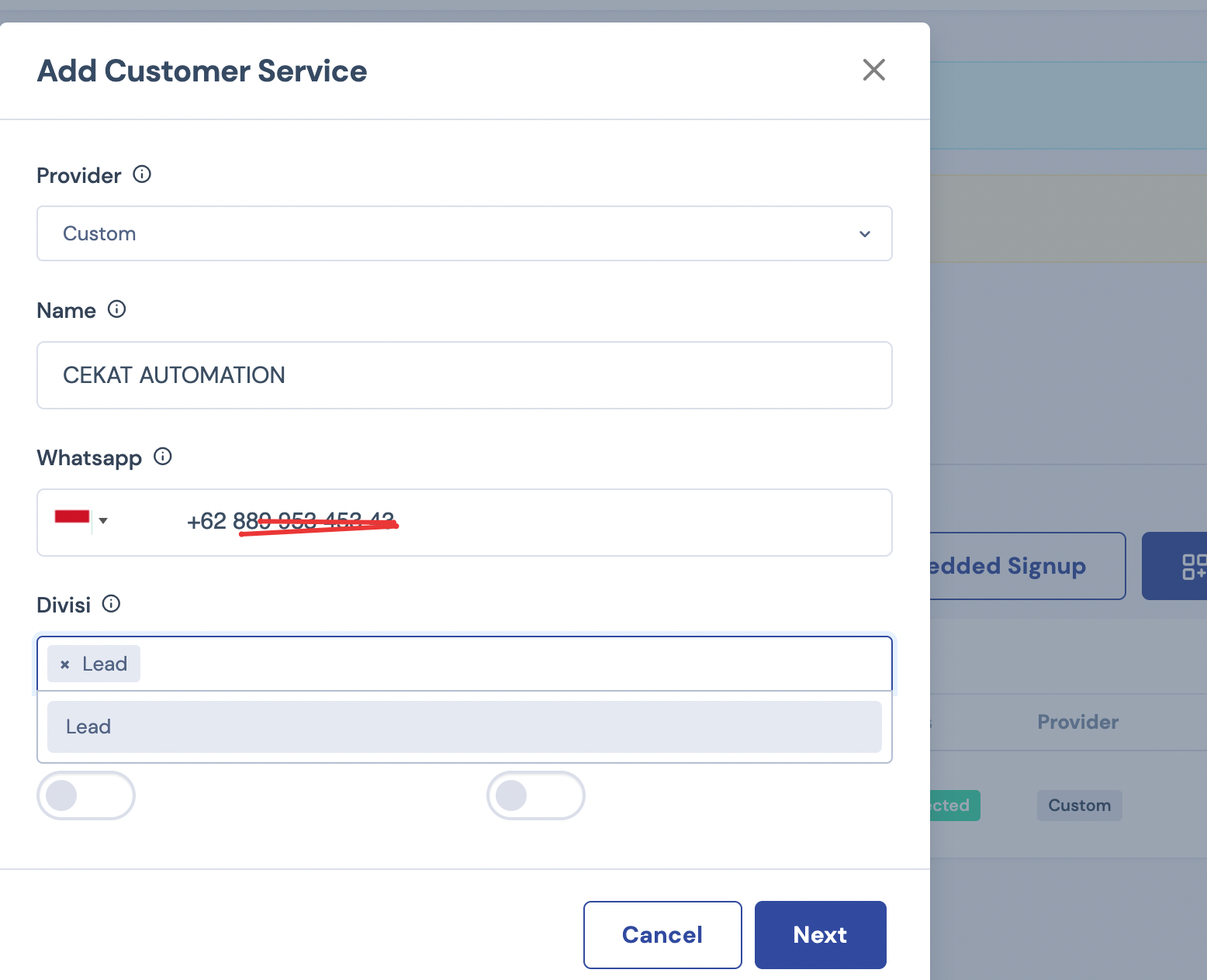
- klik Next untuk mendapatkan Webhook URL.
- Copy Webhook URL ke Notepad untuk digunakan di Node Workflow Cekat.
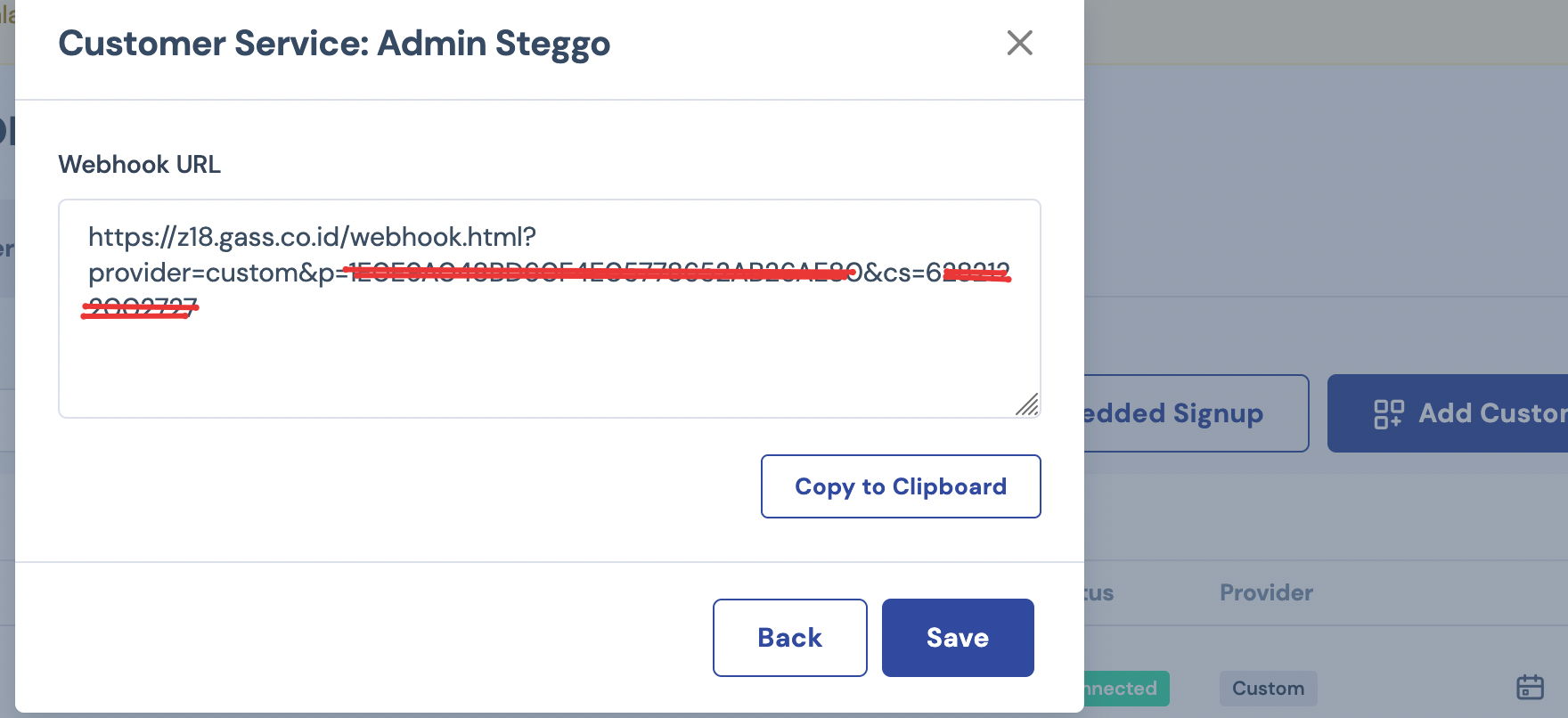
- Akses Panel Cekat , Pilih menu Automation / kunjungi https://chat.cekat.ai/workflows
- Pilih Node Cekat Chat
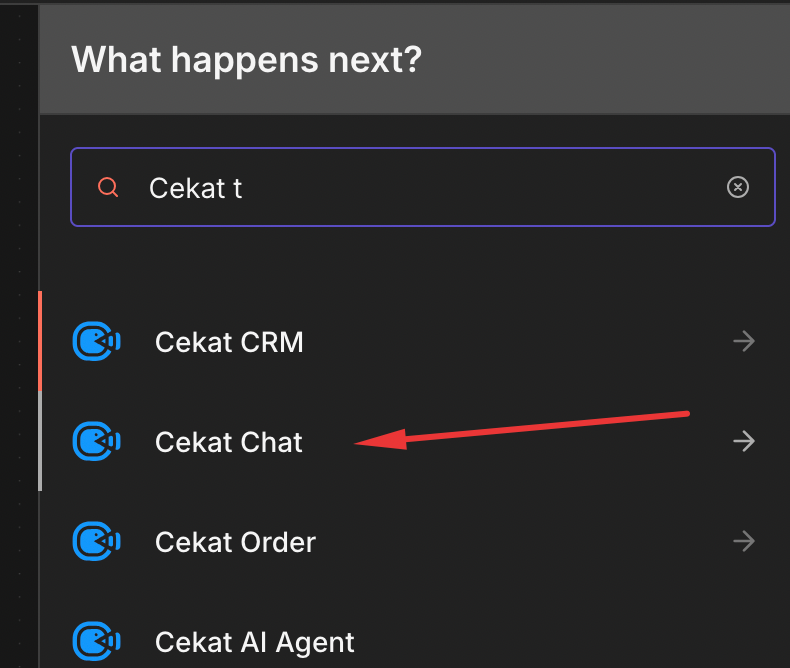
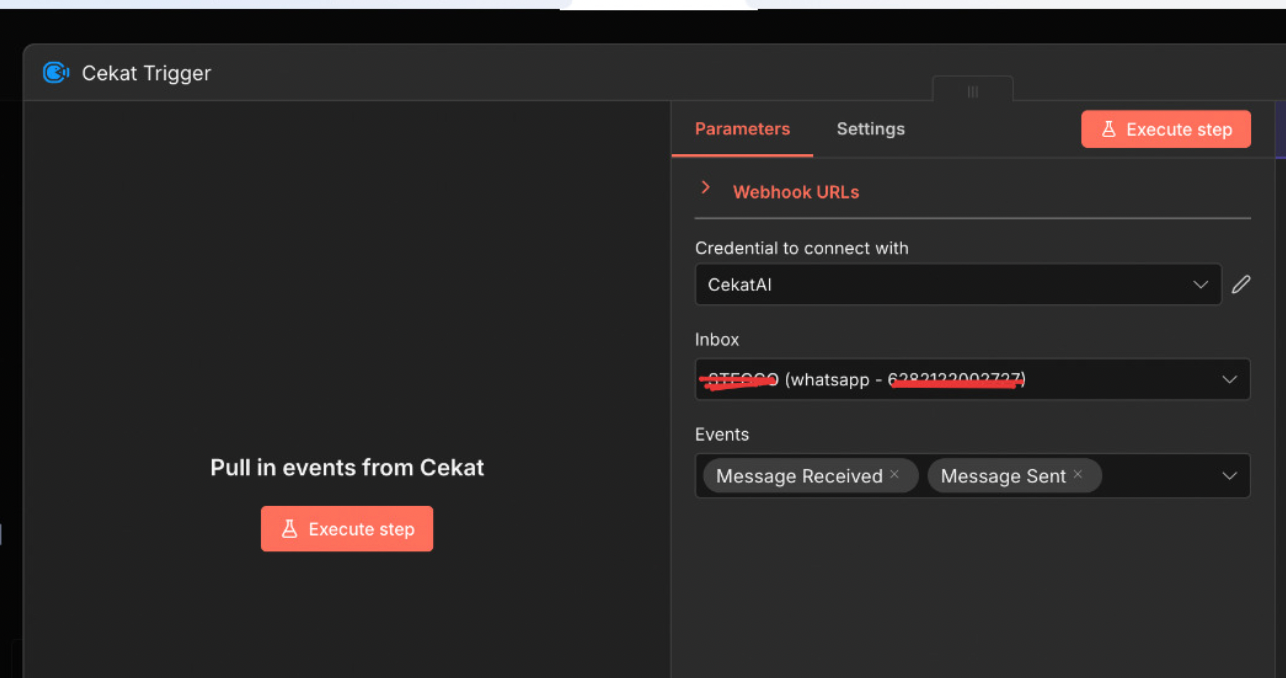
- Pilih 2 Action ( On Message Received dan On Message Sent )
- Pilih Inbox nomer Whatsaaps Anda
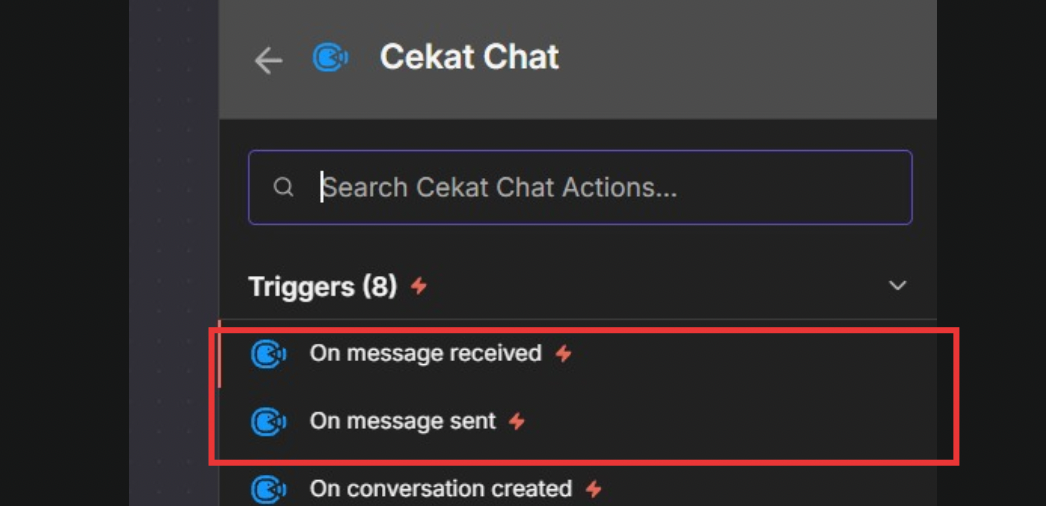
- Hasil Seperti Berikut
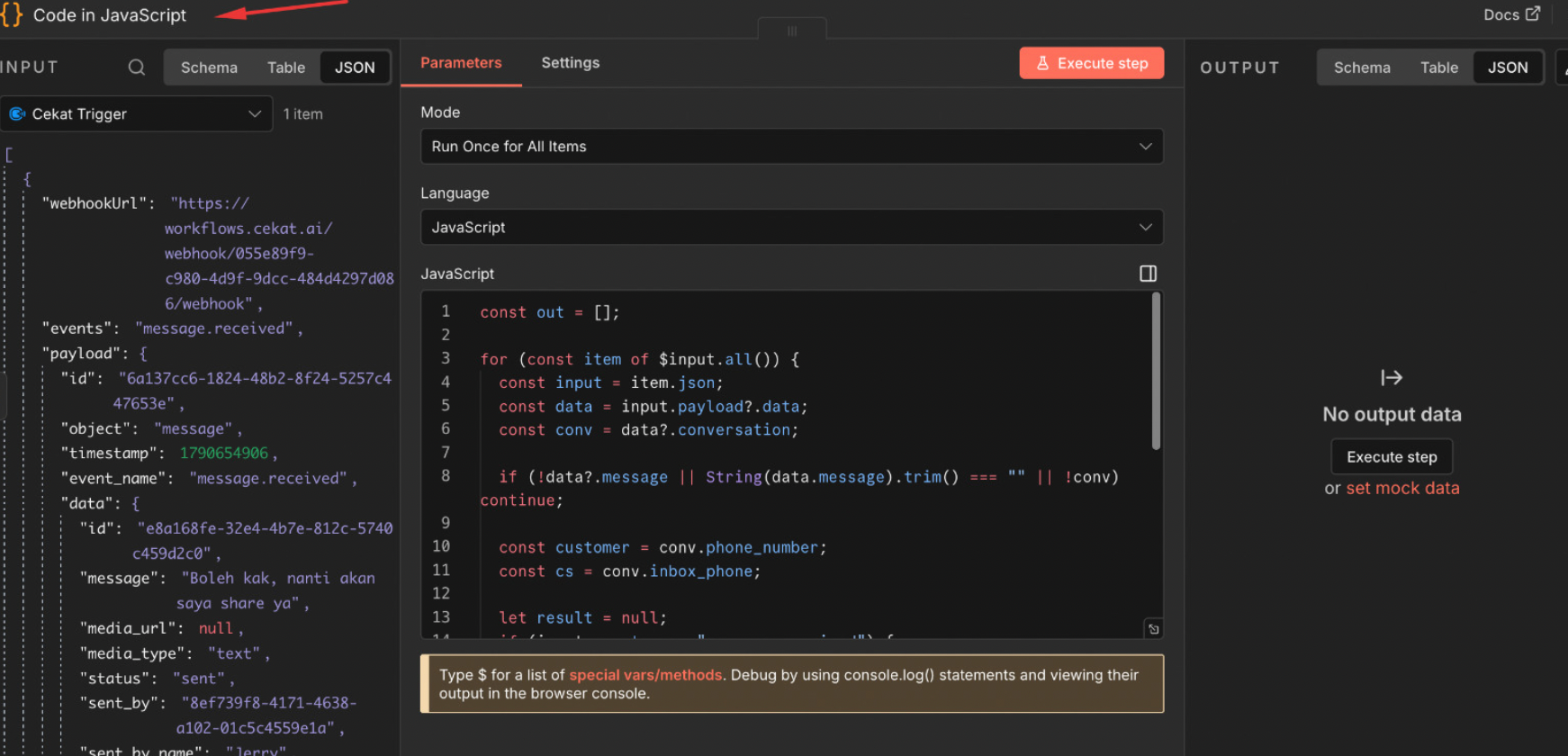
- Tambahkan Node Code In Javasript
- Isi berikut
- Hasil Akan Seperti Dibawah ini
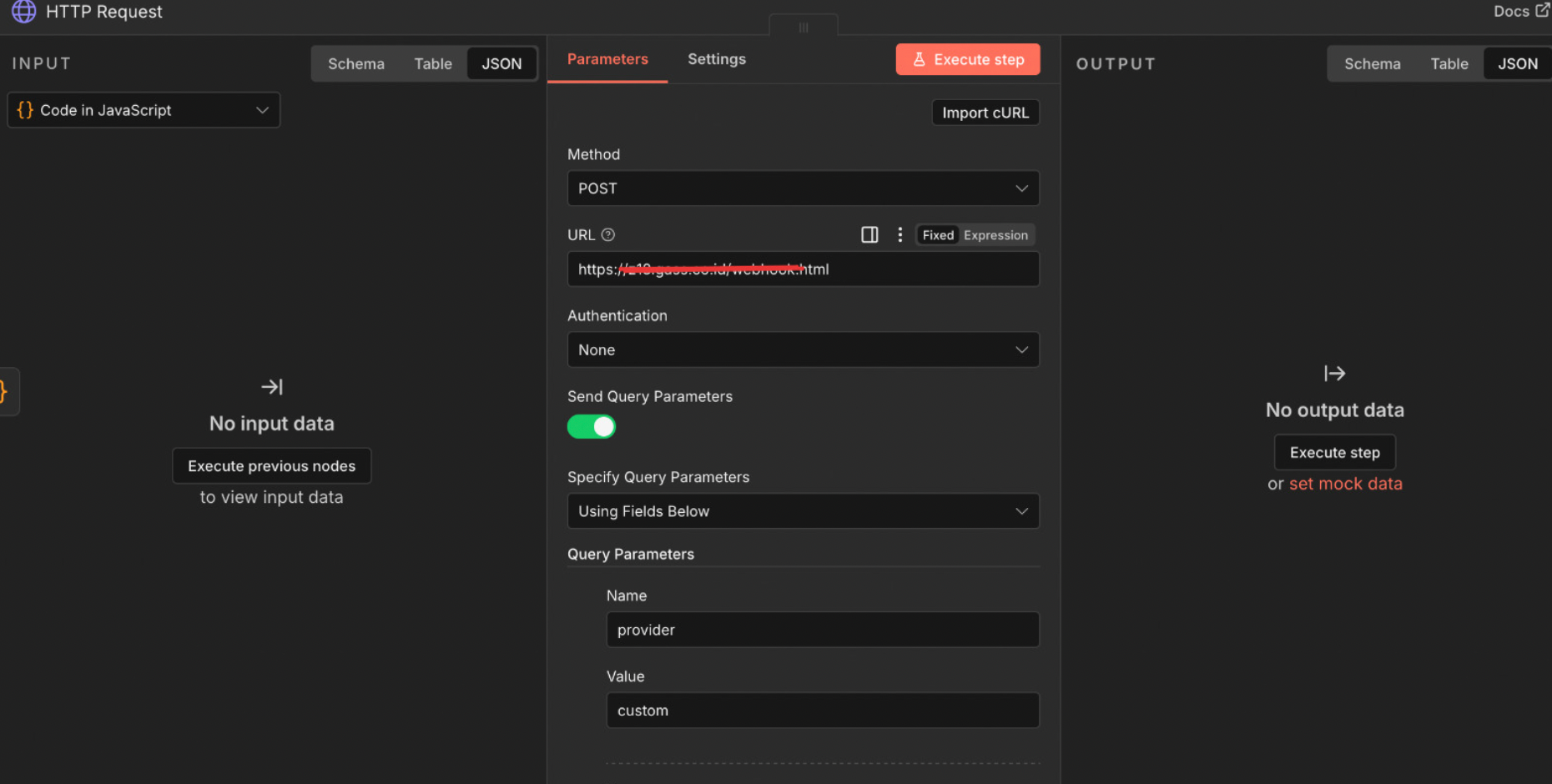
- Tambahkan Node HTTP Request
- Copy Webhook URL yang diberikan oleh sistem
Format URL:
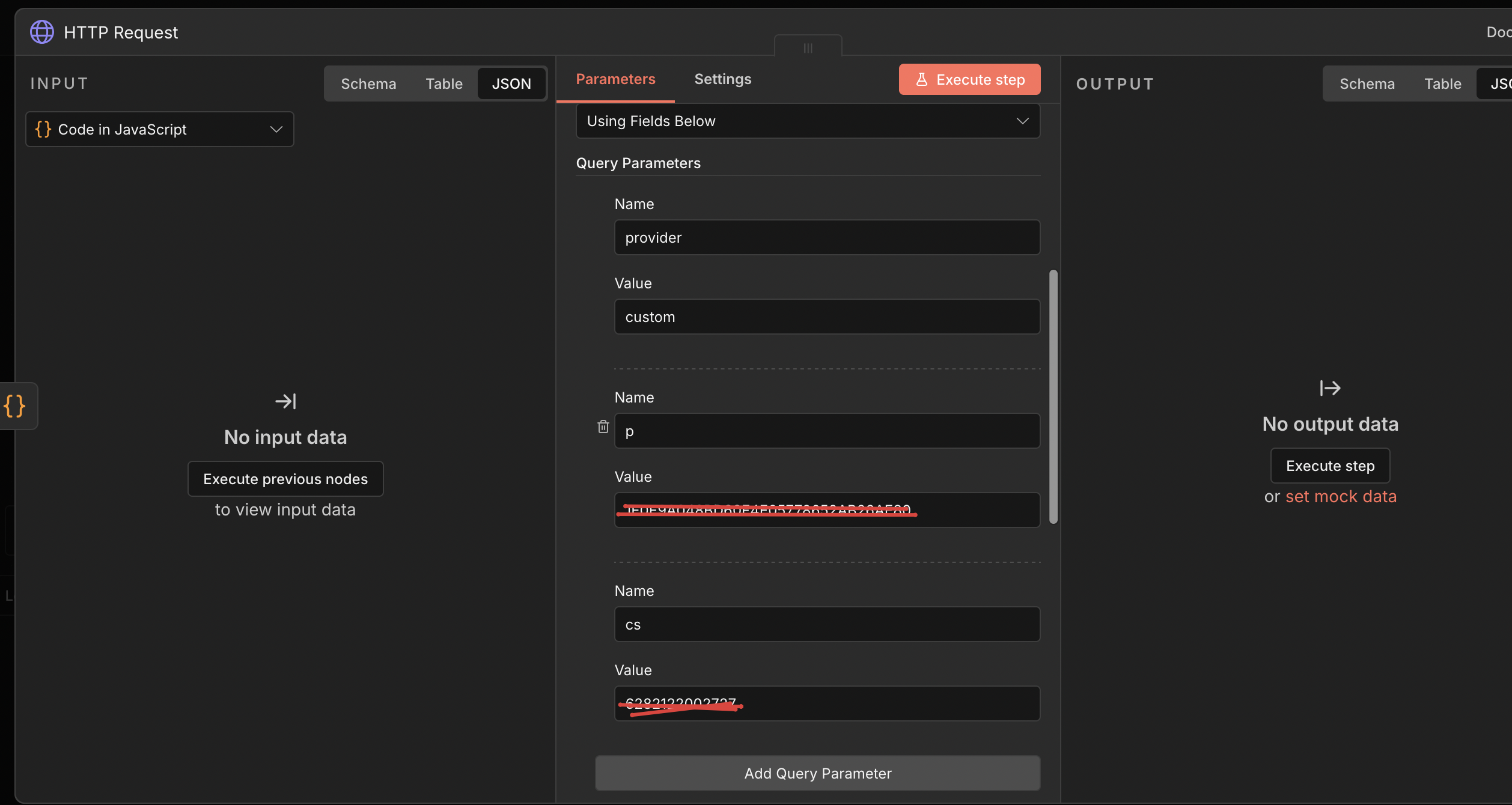
https://[domain-webhook]/webhook.html?provider=custom&p=[kode-provider]&cs=[nomor-CS]- Paste URL tersebut pada kolom Base URL
Contoh:
https://domain-webhook.com/webhook.html?provider=custom&p=XXXXXXXX&cs=XXXXXXXX16 Aktifkan pilihan:
✅ Send Query Param
17.Pada bagian Mapping, lakukan pengaturan:
- Name → pilih variable dari bagian pemisah parameter (
&) - Value → pilih nilai/value dari variable tersebut
- Scroll Kebawah
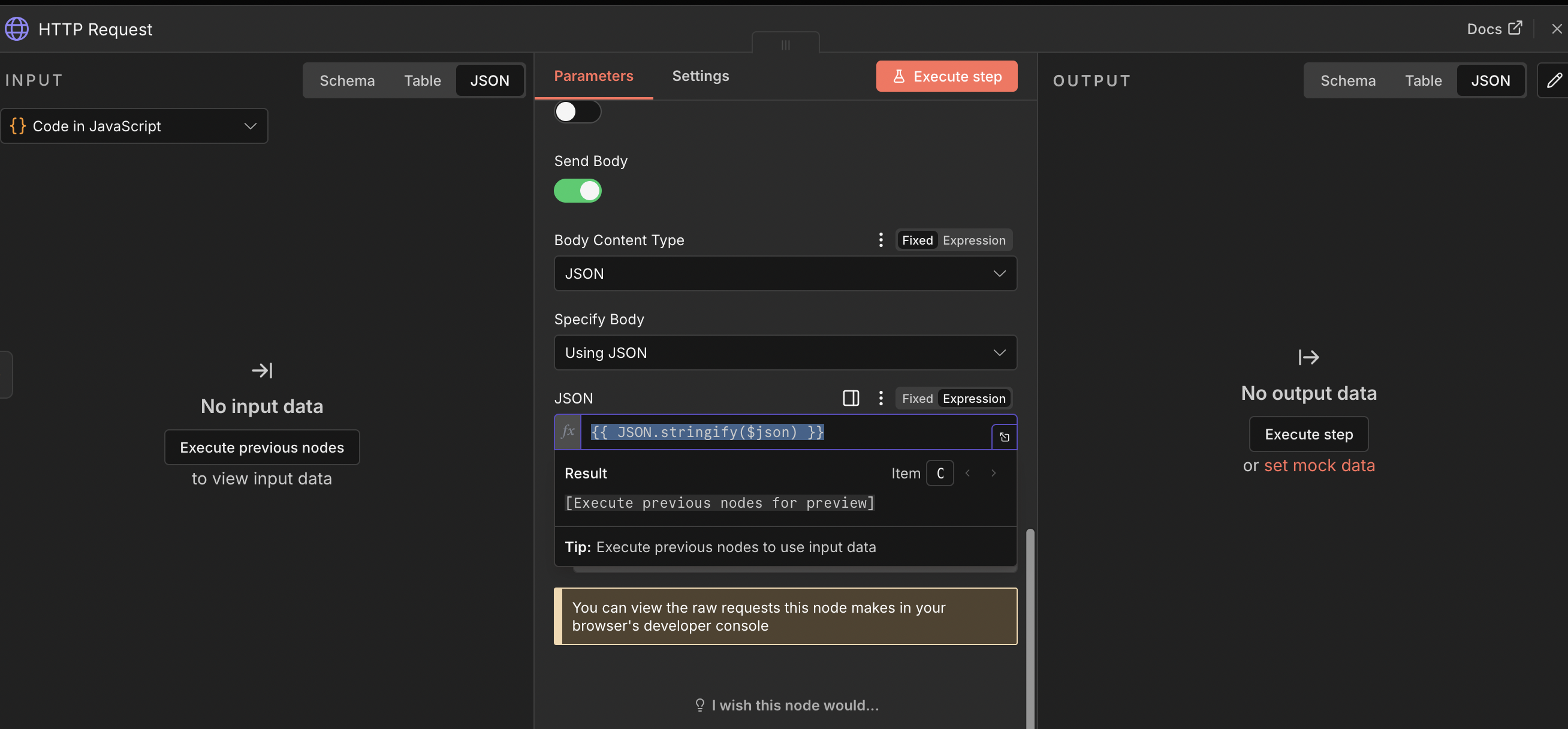
1. ✅ Aktifkan Send Body :
2. Body Content Type , Pilih Using JSON
3. Pada Kolon JSON Isikan berikut
{{ JSON.stringify($json) }}
lalu simpan konfigurasi dan lakukan pengecekan apakah webhook sudah berhasil terhubung.
Hasil Final Berikut ,,automation anda sudah selesai dibuat dan dibisa di cek melalui database customers di Panel GASS.